From mailbox to accountant — step by step
No magic. Here is exactly what numerio does — and what it doesn't.
- STEP 1
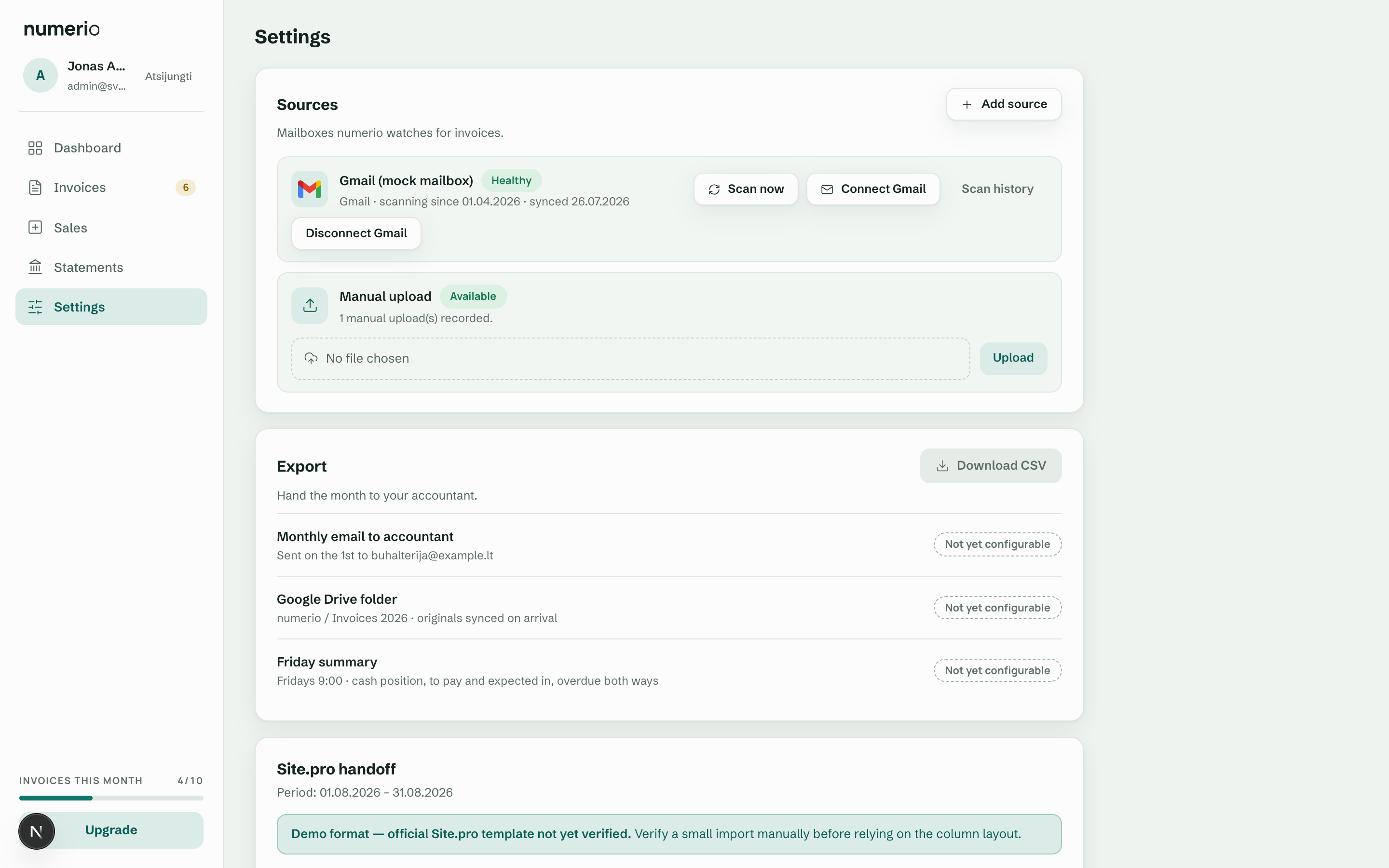
You connect a mailbox
Gmail connects through Google sign-in and Outlook through Microsoft sign-in, both with read-only access. You set the date to start scanning from. numerio never sends, deletes or changes your mail — and you always see what you've allowed.
- STEP 2
numerio scans — constantly and patiently
First, a full scan from your chosen date. Then a check every hour and a re-check every night. When it finds an invoice — a PDF attachment, an invoice in the email body, or a safe link — numerio stores the original. If something fails, the error is visible and retried — nothing disappears quietly.
- STEP 3
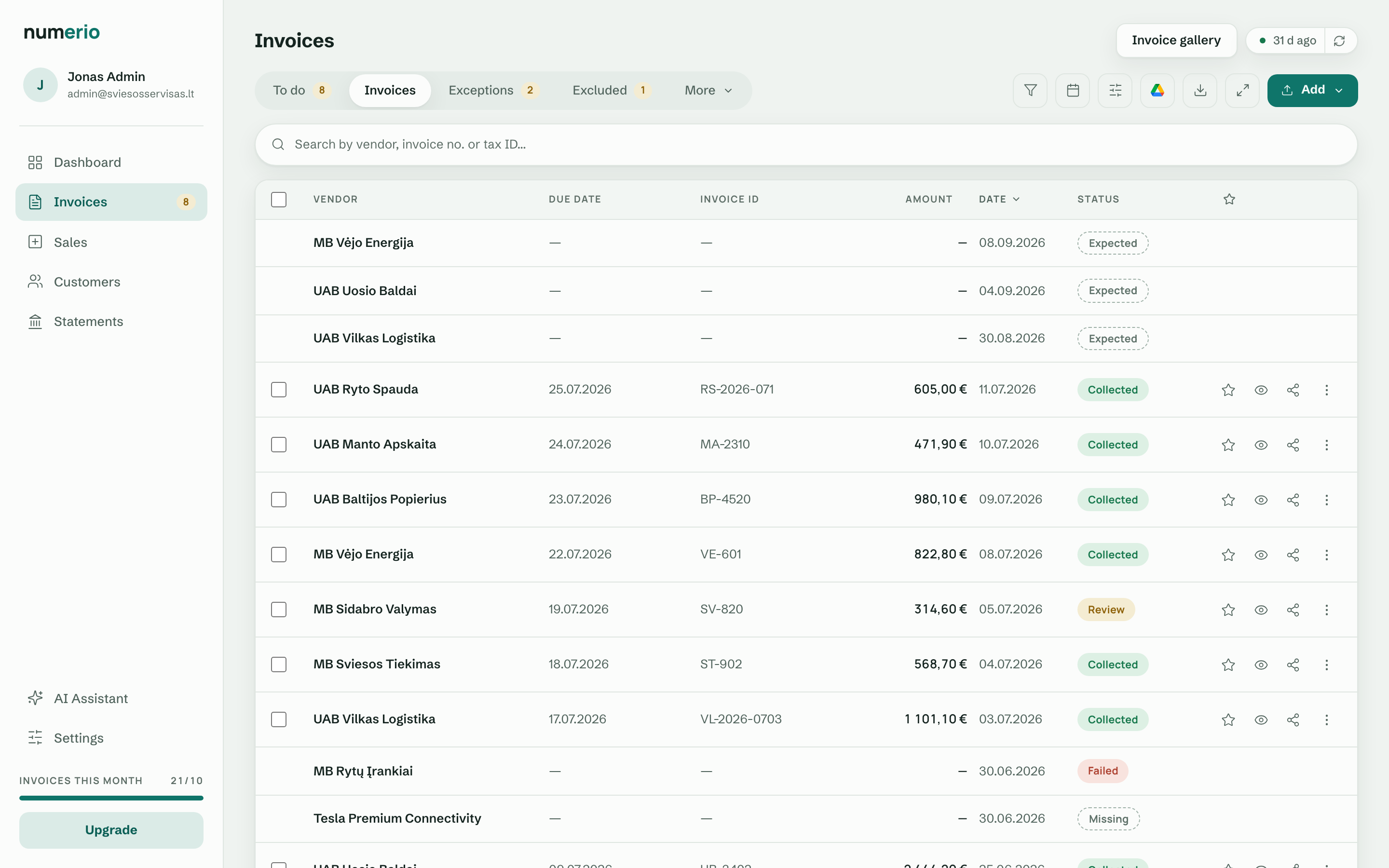
You list the invoices you expect
Rent, telecom, leasing, subscriptions — you add the suppliers whose invoices you expect monthly or quarterly. numerio also suggests recurring suppliers from the invoices it has already collected — but nothing enters the list until you confirm it. From then on every expected invoice has a clear state: expected, collected, missing, in review, or failed.
- STEP 4
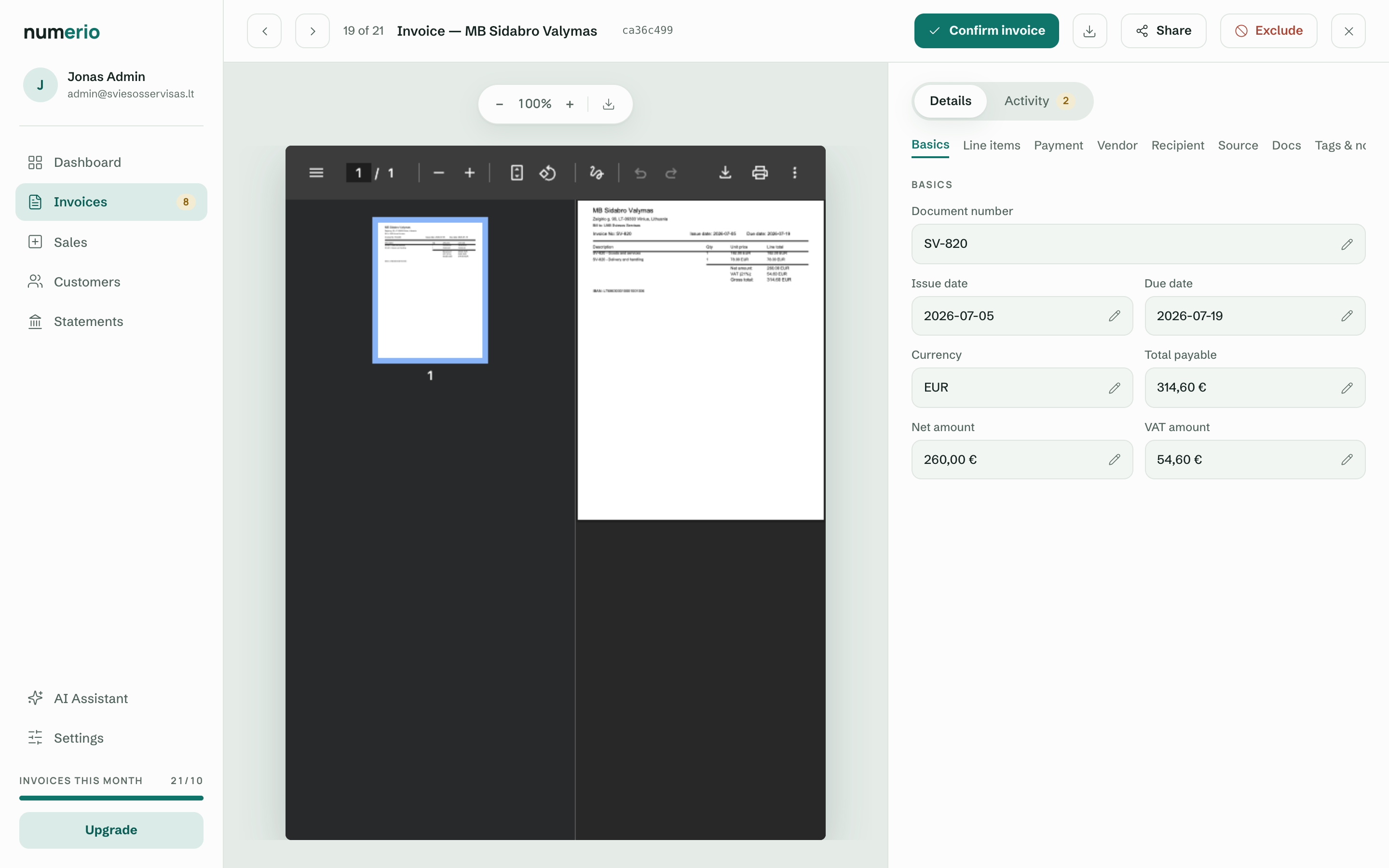
You review what's unclear
numerio extracts the invoice data — seller and buyer with company registration number and VAT ID as separate fields, amounts, VAT rates, dates. Where extraction is confident, you just confirm. Where it isn't — numerio honestly asks instead of guessing. The final word is always yours.
- STEP 5
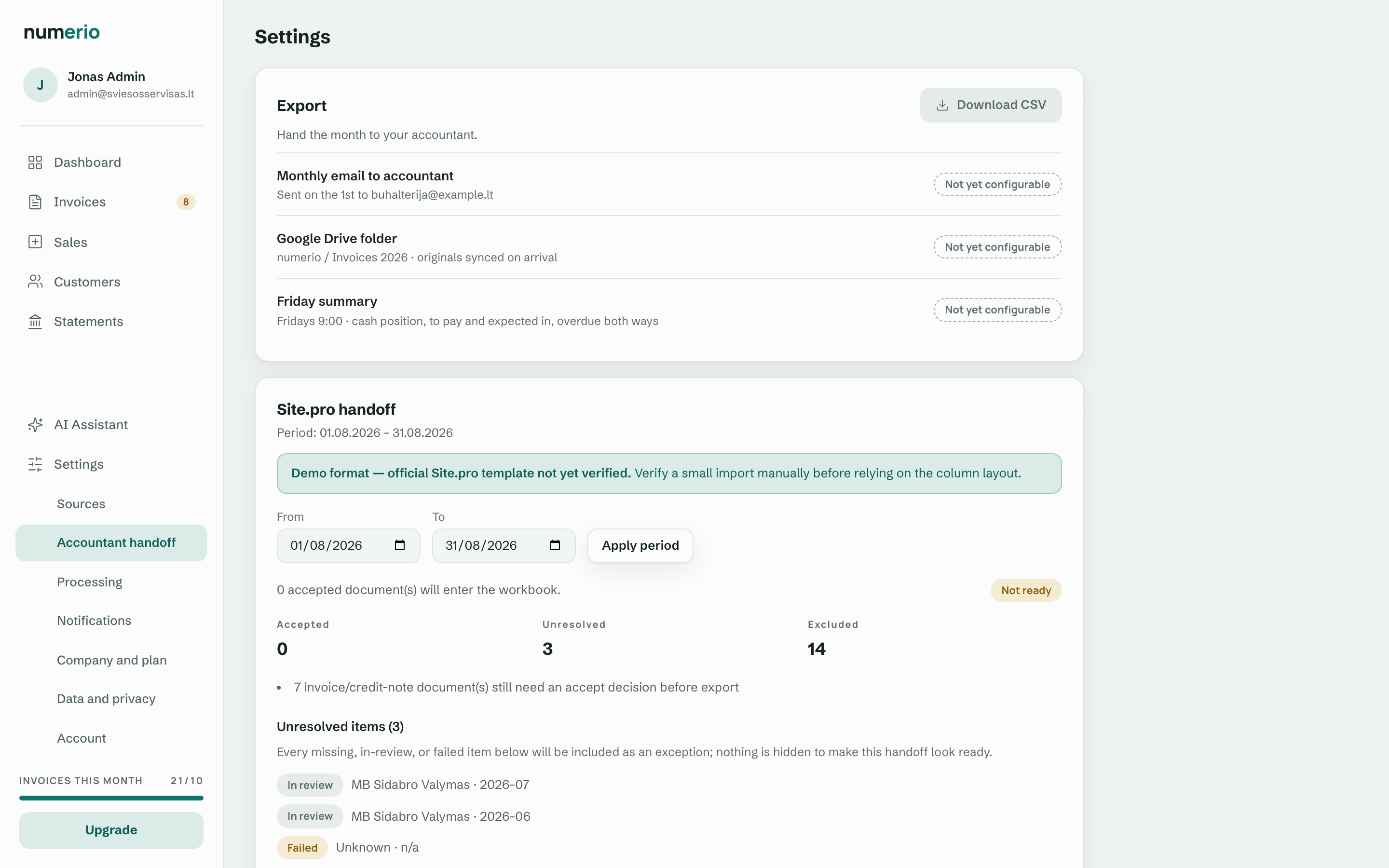
You hand off to your accountant
When the documents are reviewed, one click generates the package: a summary spreadsheet, every original with stable file names, and an exceptions file listing anything still missing or in review. Your accountant doesn't need a numerio login. Nothing is hidden to make the period look "complete" — missing invoices are handed over as visible exceptions.
- STEP 6
A daily summary
Once a day you get a short email: what's newly missing, what failed, what's waiting for review. No attachments, no sensitive data — just a link to your dashboard.